Comments on the exact slide
Reviewers comment where they are. You see which slide, every time.
For Captivate developers
Publish, upload, share one link. Every comment from your SMEs and clients lands on the exact slide it's about, as a task you can assign and close.
Start your free 14-day trialNo card required for the trial.

An email that says "slide 14, the second button, the text is wrong."
A Word doc with 40 comments and screenshots pasted in no particular order.
A reply-all thread where two reviewers disagree and nobody knows who won.
You end up spending more time finding the feedback than fixing it.
Publish as SCORM or HTML5, zip it, and upload. Courses up to 500 MB.
Invite your SMEs, clients, and teammates. Use a public review link when reviewers should not need an account.
Every comment stays pinned to its slide and becomes a tracked item you can assign, reply to, and close.
RME reviews your published course, not the .cpt or .cptx project file. Publish first, then upload.
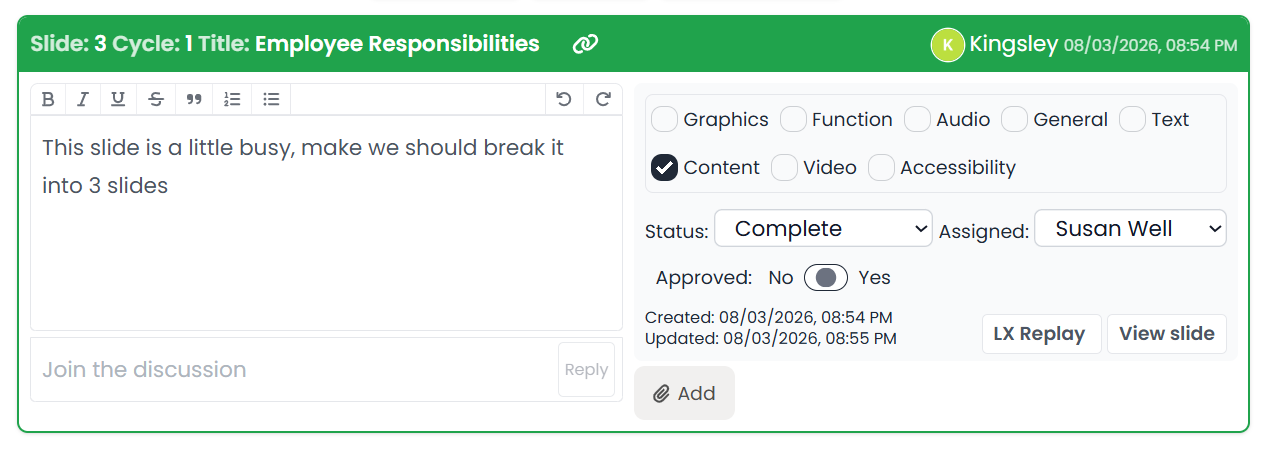
Reviewers comment where they are. You see which slide, every time.
Every comment is a work item with an owner and a status, so nothing slips through.
Get a first pass on accessibility issues before your reviewers or compliance team weigh in.
Get an automated first pass on UX and design before stakeholders see the course.
eLearning teams have been reviewing courses in Review My eLearning for over 15 years.
Rename, delete, and alphabetize variables in Captivate 12+ projects. Runs in your browser.
For .cpt projects. Your original stays untouched.No card required for the trial.