Creation accelerated. Quality control did not.
AI removed the bottleneck from building a course. It did not remove the need to review one.
A course can now come from Lovable, Claude, an internal React team or the authoring tool you have used for years. A tool-specific review process leaves the new work outside the system just when teams need more governance, not less.
Without a shared review layer
5 toolsScreenshots, chats and separate approval trails.
The faster the build changes, the harder it becomes to know which feedback was fixed and which version was approved.
With Review My eLearning
1 loopBuild anywhere, review and approve in one place.
The feedback becomes tracked work that people and connected AI assistants can retrieve without losing its course context.
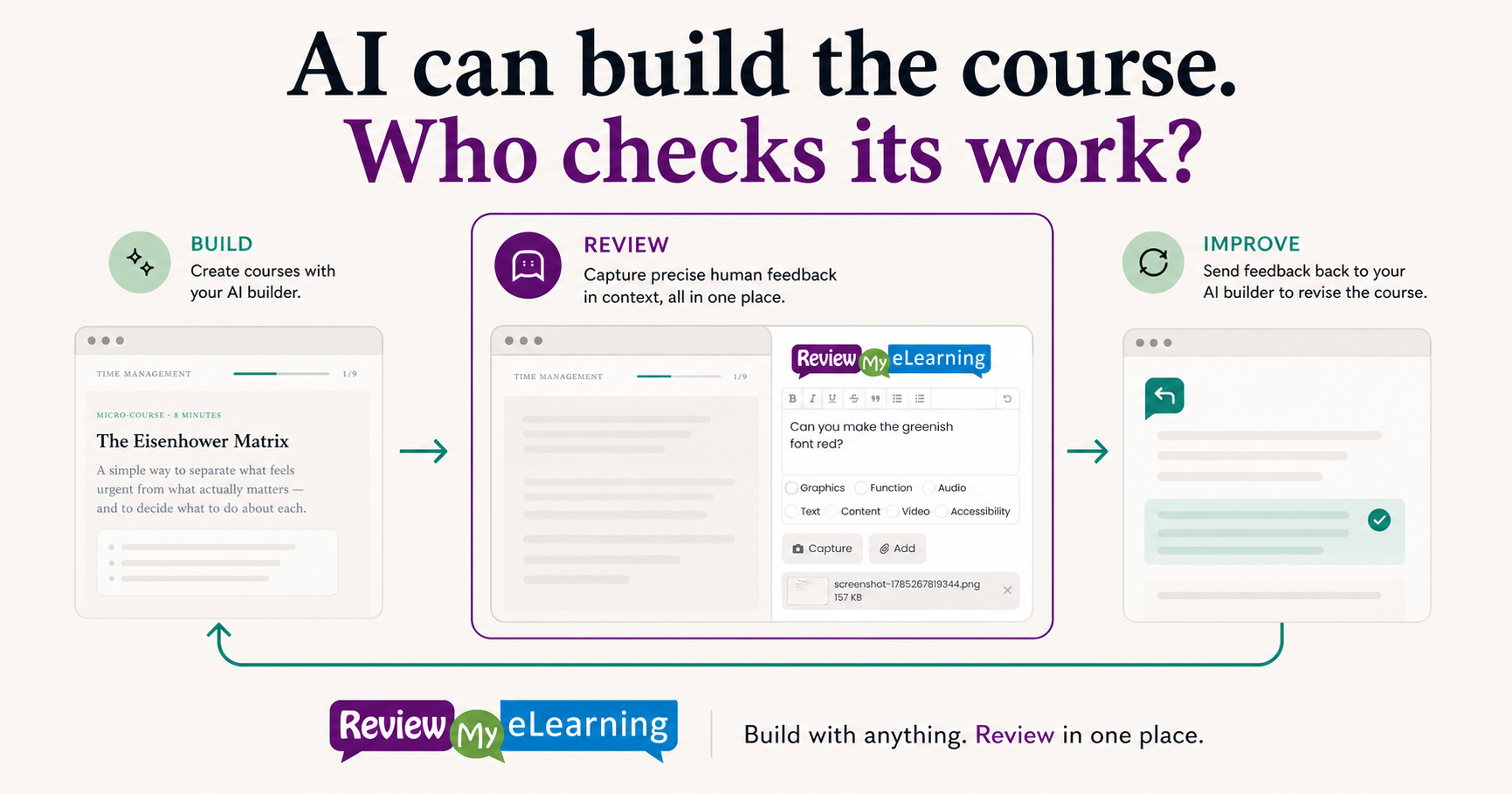
A closed review loop
From AI build to human decision—and back again.
The authoring tool can change. The review record stays consistent.
01
Build the course your way
Use an AI builder, a custom framework or a traditional authoring tool. Publish the result as SCORM or HTML5 and upload it to Review My eLearning.
RME has purpose-built trackers for common tools and a universal path for everything else.
02
Review the real output in context
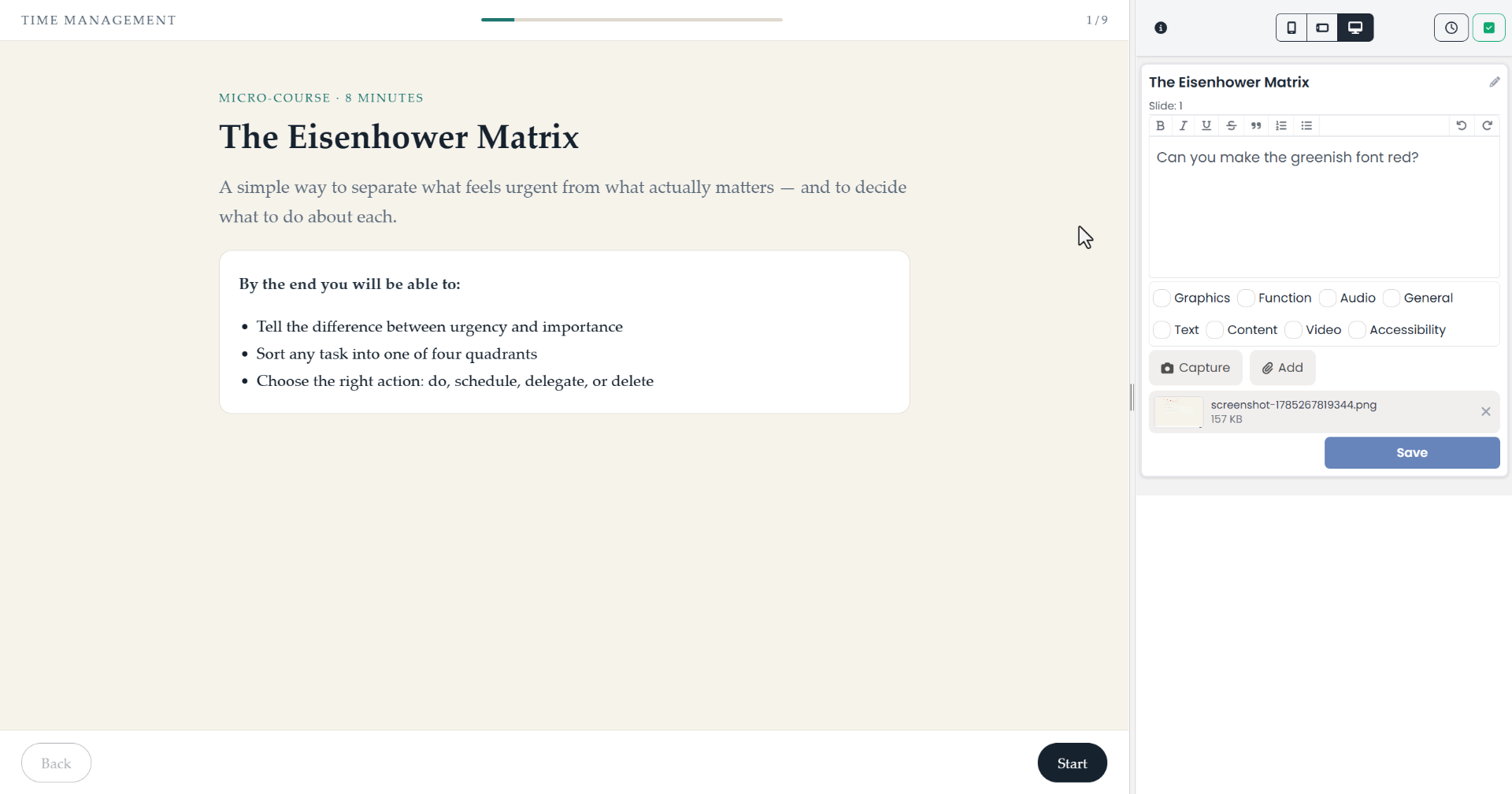
Stakeholders move through the actual course and leave comments beside it. Each comment is attached to the course screen and can carry a status, assignee, tags and a discussion.
The sample feedback asks for one precise visual change while the course remains visible beside RME.
03
Let the AI assistant retrieve the feedback
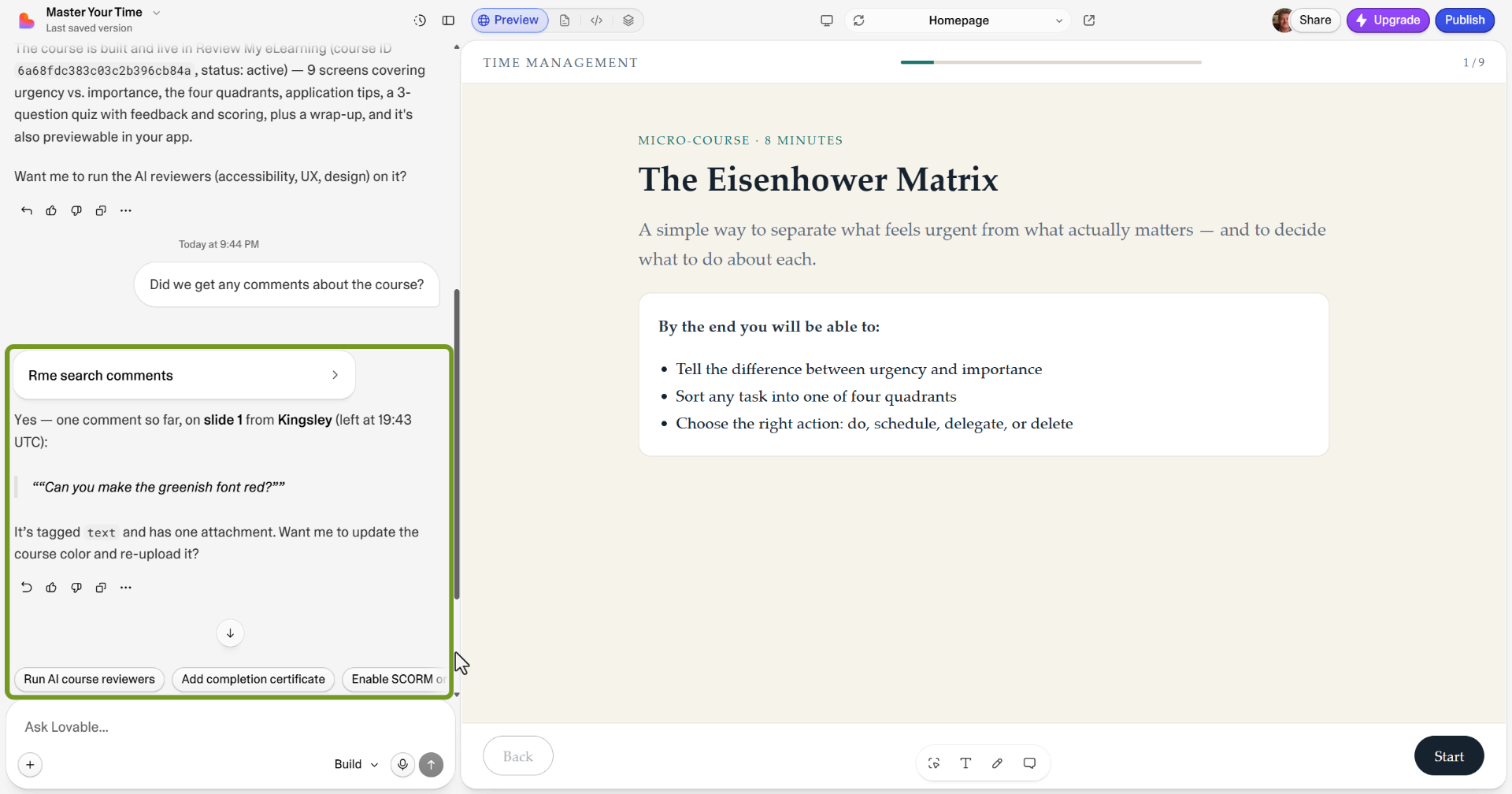
Connect an AI assistant to RME through MCP and ask for the unresolved comments on a course. The assistant can retrieve the review note and its context before offering to update the build.
MCP access is available on every RME plan.
04
Upload the next version without losing the record
When the revision is ready, start a fresh review cycle for the updated course. Earlier discussions remain with the course while the new version gets its own reviewers and settings.
Review cycles are unlimited on every plan.
Tool-independent by design
The review layer stays put while the authoring stack evolves.
RME supports the established tools your team already uses and synthesizes a navigation bridge for unfamiliar SCORM or HTML5 courses, including hand-coded and AI-built output.
- Purpose-built tracking for common authoring tools
- A universal tracker for unfamiliar SCORM or HTML5 output
- Human comments with status, owner, tags and discussion
- MCP access for Claude, ChatGPT, Lovable and other assistants
Automation with a review gate
Move faster without turning quality control into a black box.
AI helps with creation and can assist with the first review pass. Human reviewers, owners and approvers remain visible in the same workflow.
Human approval remains explicit
RME organizes the review record; it does not silently approve or publish a course.
AI Reviewers are a first pass
Beta accessibility, UX and design reviewers add findings as ordinary course comments.
Feedback becomes owned work
Comments can be assigned, statused, discussed and resolved instead of disappearing into chat.
MCP fits the new build stack
Connected assistants can query the review data directly on every plan.
For teams experimenting with AI course builders
The practical questions before you try the loop.
Does the course have to come from a named authoring tool?
No. RME supports SCORM and HTML5 output from established tools, custom frameworks and AI-built courses.
Can an AI assistant read the course feedback?
Yes. Connect Claude, ChatGPT, Lovable or another compatible assistant through RME's MCP server, then ask it to retrieve comments and review data.
Does the AI change or publish the course automatically?
Not by default. The assistant can retrieve the feedback and help with the next revision, while your team controls the build, review and publication decisions.
What happens when the AI produces a revised version?
Upload it into a new review cycle. The course keeps its earlier review history while the new version gets a fresh round of feedback.
The build tool can change. The review standard does not have to.
Put one AI-built course through a real review loop.
Upload the published output, invite the people who need to sign it off, and connect your AI assistant when the feedback is ready for the next pass.
Start a 14-day trial Card required at signup · Cancel before the trial ends